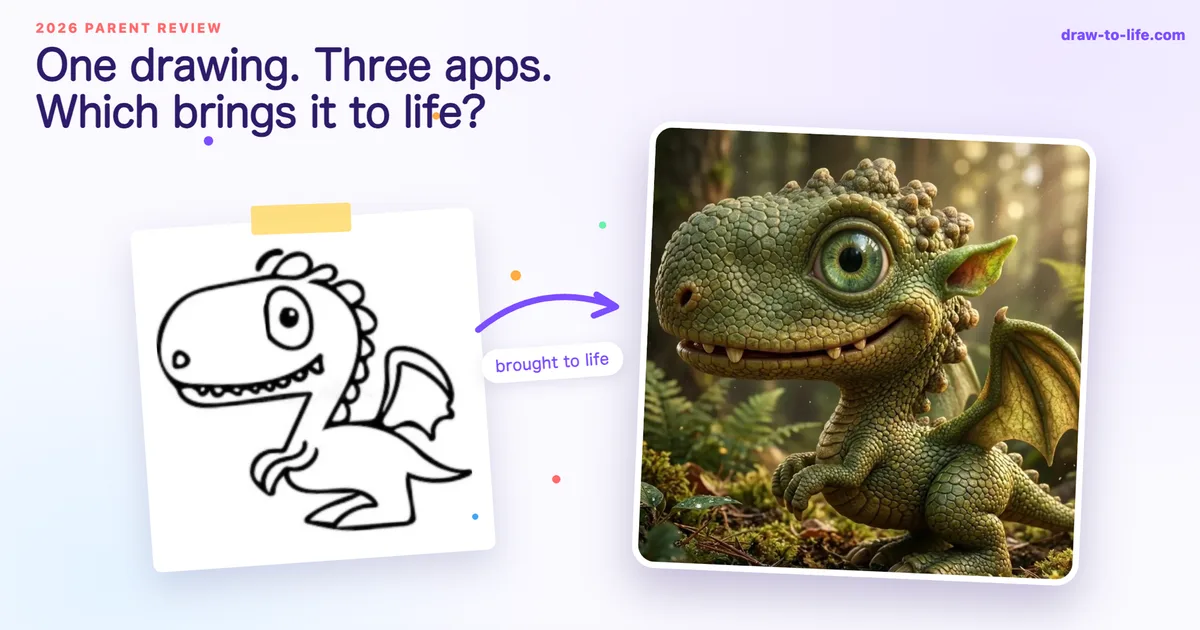
Drawings Alive vs DrawToLife vs Meta Animated Drawings: 2026 Parent Review
TL;DR: Meta Animated Drawings is the only completely free option, a charming browser demo that makes a stick figure dance in about a minute. Drawings Alive offers the most output formats (AI art, animations, 3D models) but has no free trial: plans run $9.99 to $39.99 a month, and you can’t generate a single image before paying. DrawToLife is the only one built specifically for ages 3 to 8. It’s free to start, ad-free, has a 3-day DrawToLife Plus trial on both app stores, and turns a drawing into a story and a talking video as well as a picture.
Somewhere on your fridge right now there’s a dragon. Or a purple cat, or a family portrait where Dad’s arms come out of his head. At some point, probably tonight after bedtime, you’ll type “app that brings drawings to life” into Google and get a muddle of store listings, Reddit threads and three names that keep coming up: Drawings Alive, DrawToLife and Meta Animated Drawings.
What you won’t find is an actual review comparing them. We looked. The results for “drawings alive app review” are store pages and directories. Nobody has sat down as a parent and tested all three side by side, so here it is.
How we compared them (and who’s writing this)
Full disclosure up front: DrawToLife is our app. We’d rather tell you that in the second paragraph than have you sense it in the tenth. To keep this useful anyway, every claim about the other two apps comes from their live store listings, published pricing and public user reviews as of August 2026, and we’ll tell you honestly where each competitor is the better choice, because for some families it will be.
We judged all three the way a parent would: what does my child’s drawing actually become, what does it cost to find out, and is it safe to hand over the tablet?
Meta Animated Drawings: the free research demo
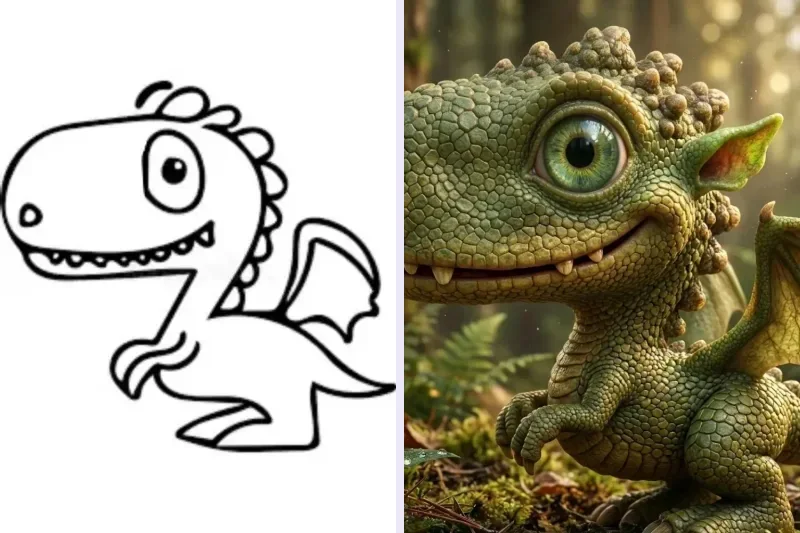
Meta Animated Drawings started life as a research project at Meta’s AI lab, and it’s still free to use in any browser. No app, no account, no charge. You photograph a drawing of a person-like character, the tool finds the figure, you nudge a few joint markers, and then you pick from preset motions: dancing, jumping, waving, a little boxing shuffle. Thirty seconds later your child’s actual drawing, same wobbly lines, same crayon texture, is doing a jig on screen.
The first time a child sees it, the reaction is pure magic. It’s also, genuinely, the whole product. There are no art styles, no stories and no saving library, and it works best with full-body characters that have visible arms and legs. The rainbow, the racing car and the beloved potato-shaped cat are out of luck. Because it’s a research demo, it may also ask whether Meta can use the uploaded drawing for research, which is worth reading before you click through.
Best for: a free five-minute wow moment with a stick-figure drawing. It costs nothing to try.
Drawings Alive: the most formats, if you’ll pay first
Drawings Alive AI: Doodle Art (by Optimistic Invent) is the most direct competitor to DrawToLife, and it’s a capable tool. It turns an uploaded or in-app drawing into AI artwork in styles like cartoon, realistic, painting and plush toy, generates short animations, and creates 3D models you can view in augmented reality, which is its standout trick. There’s a web version alongside the iOS and Android apps, plus weekly drawing challenges. It’s ad-free, rated 4+, and holds a 4.1★ rating (45 ratings) on the App Store and 4.0★ (56 reviews) on Google Play.
The catch arrives before your child’s first drawing does: there is no free trial and no free tier. To generate even one image you need a subscription. Starter costs $9.99 a month or $69 a year, Hobby $19.99 a month or $119 a year, and Artist $39.99 a month or $219 a year. The app’s own App Store reviews make the pain point plain: one featured review notes there’s “no trial and no way to test out the app” without paying, and another calls it “pretty crazy that there is no trial”.
That’s a real ask for a parent who doesn’t yet know whether their four-year-old will love this or shrug at it. If you already know you want high-volume AI art and 3D or AR models, say for an older child who’s properly into it, Drawings Alive delivers. As a first experiment, it’s an expensive guess. (We’ve written a fuller side-by-side on our Drawings Alive comparison page.)
Best for: families who already know they want AI art in volume, plus 3D models and a desktop workflow, and don’t mind paying before trying.
DrawToLife: the one actually built for ages 3 to 8
DrawToLife takes a different view of what a child’s drawing is for. One drawing becomes AI art in six styles (Movie 3D, anime, claymation, watercolour and more), but also an illustrated storybook that’s read aloud, an animated video where the character moves and talks, and drawing games to play afterwards. The newest update generates a story or video straight from the raw drawing, keeps the child’s own art style across the story’s pages (hand-drawn stays hand-drawn), and saves characters to a family cast library, so tonight’s dragon can star in next week’s adventure alongside a sibling’s unicorn.
It’s built for children aged 3 to 8, and it shows in the safety design. The app is COPPA-compliant and completely ad-free. Kids Mode never shows a text box: the AI only transforms what your child actually drew, and the free-text creative controls live in parent mode. The app works in 10 languages, with stories read aloud in 9, and families have brought over 3,000 drawings to life with it so far.
On price, it’s the opposite of Drawings Alive’s approach. Your first transformation is free without even creating an account, and DrawToLife Plus comes with a 3-day free trial on both the App Store and Google Play, with one-off credit packs if you’d rather not subscribe. Every built-in game and Learn to Draw lesson is completely free too, with no credits, daily limits or locked packs. You’ll know whether your child loves it before you spend anything.
The honest limits: there’s no desktop web version and no 3D or AR models. If those matter to you, Drawings Alive genuinely wins there. You can see the animation side in action on our animate drawings page.
Best for: parents of three-to-eight-year-olds who want one safe, ad-free app where a drawing becomes art, a story and a talking video, and who want to try before paying.
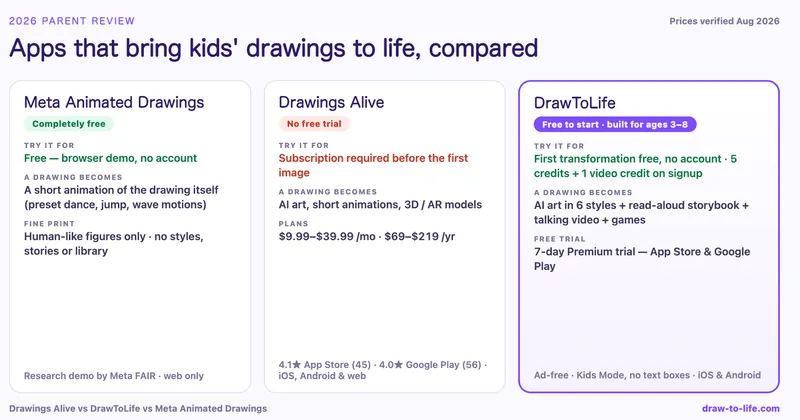
Drawings Alive vs DrawToLife vs Meta: 2026 pricing compared
| Meta Animated Drawings | Drawings Alive | DrawToLife | |
|---|---|---|---|
| Cost to try it | Free | No free tier; subscription required first | Free (first transformation, no account needed) |
| Free trial | Entirely free | None | 3-day DrawToLife Plus trial on App Store & Google Play |
| Paid plans | None | $9.99 to $39.99/mo · $69 to $219/yr | $4.99 or $9.99/mo · $79.99/yr, or one-off credit packs |
| What a drawing becomes | A short animation of the drawing itself | AI art, short animations, 3D/AR models | AI art (6 styles), read-aloud storybook, talking animated video, games |
| Platforms | Web browser | iOS, Android, web | iOS, Android |
| Ads | None | Ad-free | Ad-free |
| Built for young kids | No age focus (adult drives it) | Rated 4+, no stated age range | Designed for ages 3 to 8, Kids Mode, parent dashboard |
The feature differences matter less than one number: what it costs to find out whether your child will care. With Meta you risk nothing and get one trick. With Drawings Alive you pay at least $9.99 before the first picture appears. With DrawToLife the first picture is free, and a three-day trial sits in front of the subscription.
Draw Alive, Drawings Alive or iDrawAlive: which app is which?
A quick untangling, because the names blur together in search. If you’ve been hunting for “draw alive” or “idrawalive”, you almost certainly mean Drawings Alive AI: Doodle Art, the subscription app reviewed above. Confusingly, Draw Alive is also the name of an interactive exhibit product by Breeze Creative, the kind you meet at museums and soft-play centres, where a child’s coloured-in sheet gets scanned onto a big screen. That one isn’t a home app at all. And none of them is related to DrawToLife or to Meta Animated Drawings. Four different products share one very crowded corner of the dictionary.
Which app should your family choose?
(These three are the head-to-head heavyweights — if you want the wider field, including SKETCH, FlipaClip, Canva and a printed-book option, start with our 7 best apps that bring kids’ drawings to life.)
- Choose Meta Animated Drawings if you want a free giggle tonight and your child’s drawing has arms and legs. It costs nothing, so there’s no reason not to try it.
- Choose Drawings Alive if you have an older child who’s seriously into AI art, you want 3D or AR models and a desktop workflow, and you’re comfortable subscribing sight unseen from $9.99 a month.
- Choose DrawToLife if your child is between three and eight and you want the drawing to become more than a picture: a story at bedtime, a video where their character talks, games afterwards. It was designed around that age group from the start, and the free transformation means you can watch your child’s face before you decide anything.
Whichever you pick, the advice from our guide to AI art safety for kids still applies. Check where the drawing goes, keep text prompts away from little ones, and sit with them the first time. The tech is the easy part.
Frequently asked questions
Is there a free app that brings kids’ drawings to life? Yes. Meta Animated Drawings is completely free in the browser and animates human-like figures with preset motions. DrawToLife is free to start: the first transformation needs no account, the games and lessons cost nothing, and further AI creations need DrawToLife Plus — a 3-day trial on both stores — or a credit pack. Drawings Alive has no free tier at all.
Does Drawings Alive have a free trial? No. As of August 2026 there’s no trial and no free generation. Plans run $9.99 to $39.99 per month or $69 to $219 per year, and the app’s own App Store reviews flag that you can’t test it before paying.
What’s the difference between Draw Alive, Drawings Alive and iDrawAlive? Searches for “draw alive” and “idrawalive” usually mean Drawings Alive AI: Doodle Art, the subscription app by Optimistic Invent. Draw Alive is separately an interactive museum-exhibit product by Breeze Creative. Neither is connected to DrawToLife or Meta Animated Drawings.
Which drawing app is safest for young children? Look for a kids’ mode, no open text prompts, no ads and a parental gate. DrawToLife is the only one of the three built for ages 3 to 8: COPPA-compliant, ad-free, and Kids Mode never shows a text box. Meta’s demo is safe with an adult driving. Drawings Alive is rated 4+ and ad-free but publishes no age focus.
The three apps aren’t really rivals; your family might happily use two of them. What no store listing captures is the moment your child realises the dragon on the fridge isn’t finished yet, that it can move, talk and star in tonight’s story. Whichever app you open first, that moment is the thing you’re really after, and at least two of the three will let you find it for free.